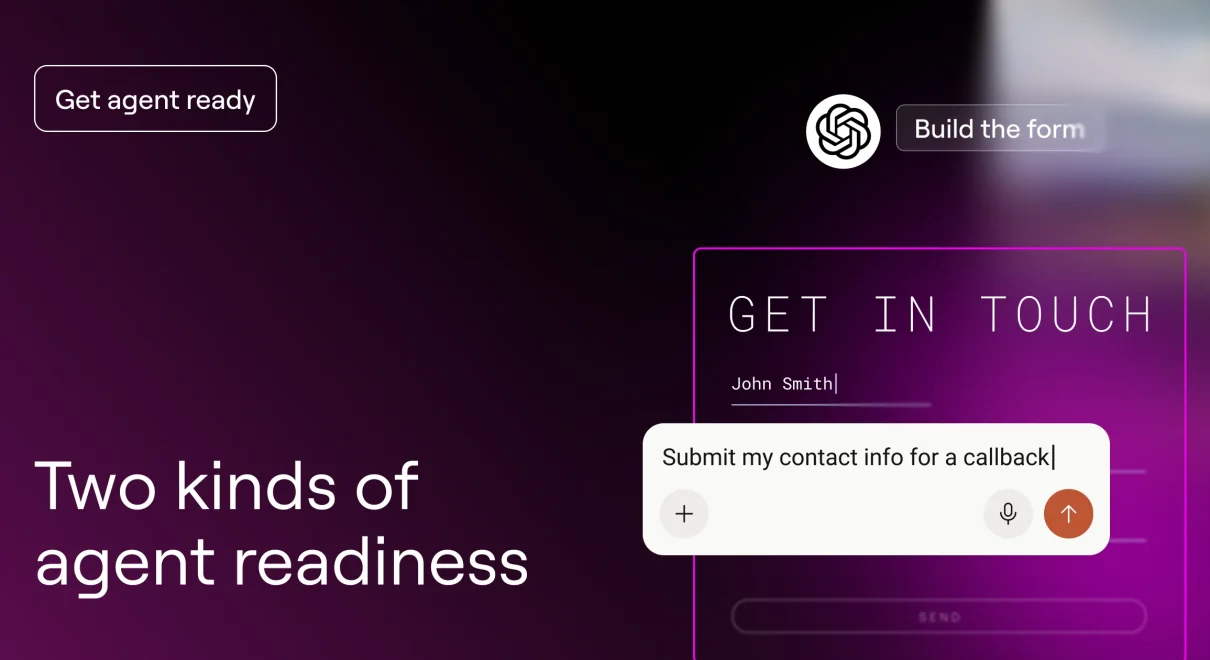
In my last post, I checked out WebMCP, which lets a website provide actions to AI brokers which are accessing a website alongside a customer within the browser. That put up, like the 2 earlier than it, was about one angle of agent readiness: getting your website prepared for brokers that go to it on another person’s behalf. However there’s additionally a second sort of agent readiness associated to the brokers that do give you the results you want in your website. The 2 usually get blended up since they’re each known as associated to “agent readiness,” they usually each usually contain one thing known as MCP. On this put up I’ll take a look at how the 2 are totally different, and the place they overlap.
By the way in which, in the event you’re new to this sequence, the first post covers what agent-ready means.
Two varieties of brokers, engaged on one website
Let’s take a look at a small bakery that sells truffles by its WordPress website: on Monday morning, the proprietor asks Claude to jot down descriptions for 3 new truffles and add them to the store as drafts. That afternoon, a buyer asks the AI assistant of their browser to discover a chocolate cake that serves 12 and may be picked up on Friday, and the assistant searches the bakery’s website and provides one to the cart.
Each of those are AI brokers utilizing the identical “agent-ready” website, however they’re coming from totally different instructions, working for various individuals, they usually have totally different talents. The proprietor’s agent works for, and on, the location. It was purposefully related, and indicators in because the proprietor, which provides it the flexibility to vary issues. The shopper’s agent works for the customer: it doesn’t have a pre-configured connection, it most likely isn’t signed in in any respect, and it will possibly solely do regardless of the website permits all public guests to do.
Brokers that work in your website for you
That is the sort of agent readiness many WordPress website homeowners have already run into, even when they didn’t name it that. You, somebody in your workforce, or an company you’re employed with connects an AI assistant like Claude, ChatGPT, or Cursor to your website, after which makes use of it for actual work, like writing and enhancing posts, constructing pages, altering settings, or pulling experiences.
The connection normally goes by MCP, which I lined in my post on what agents actually use. In WordPress, the MCP Adapter plugin turns what the location can do into MCP instruments, served from the location itself, so the assistant can join on to your website. The Elementor MCP does this for Elementor websites: an admin picks their most popular AI instrument within the Elementor space of the WordPress dashboard, and follows the steps to attach it to their website. As soon as that’s finished, the assistant can construct pages in Elementor’s personal construction, saving each as a draft so that you can evaluate earlier than it goes stay. (To keep away from confusion, Angie is an AI agent that works from inside your website, so that you don’t have to attach an out of doors assistant when utilizing it.)
As a result of this sort of agent can change issues, it has to sign up to get the related permissions. Since WordPress 5.6, Application Passwords allow you to give an app its personal password, tied to a consumer account, which you’ll be able to revoke later with out touching your principal login. The Elementor MCP creates one for you within the background whenever you join. As soon as it’s signed in, the agent can do no matter that consumer’s position permits.
Establishing an MCP server like this can be a one-time job, after which you should utilize the connection everytime you like. Connecting a server is an enormous ask for a random customer, however it will possibly add loads of worth for trusted website homeowners and managers.
Brokers that go to your website for another person
The opposite sort of agent is the one this sequence has been about to date: brokers that arrive at your website on behalf of an individual. Let’s say somebody requested an agent a query or gave it a job – at that time the agent might determine your website might assist and provides it a go to.
The first post lined what websites can provide brokers to assist them discover their means round. The second went by the approaches that assist them learn a website, like llms.txt, markdown variations of pages, and structured knowledge, and the third checked out WebMCP, which lets them act on a web page from contained in the customer’s browser.
These brokers are largely not signing in or authenticating, in order that they solely see what’s public. An agent working within the customer’s personal browser is totally different, as a result of it’s in the identical tab because the customer and may act because the customer: if the customer is logged in to your website, the agent is simply too.
The place the agent readiness line will get blurry
Brokers which are co-browsing alongside logged-in guests are the place the 2 sorts of agent readiness begin to overlap. Let’s say the bakery has a buyer account space the place common prospects can see previous orders and order the identical cake once more. If a logged-in buyer asks their browser’s assistant to reorder final week’s cake, the agent is appearing as that buyer, with that buyer’s permissions. It’s a visiting agent, nevertheless it’s signed in.
It really works the opposite means too. The bakery proprietor can open their very own website in Chrome and ask the browser’s assistant to verify that the order type works, which makes them a customer to their very own website for a couple of minutes.
What separates the 2 varieties is how the agent acquired entry, and whose permissions it’s utilizing. An agent that works in your website was given entry on goal, and it carries the permissions of the account it was related with. A visiting agent will get the identical permissions the customer has, which for many guests is proscribed to no matter is public.
WordPress presents one construction for each brokers
In WordPress, each sorts of agent may be served by the identical construction. As I discussed in the WebMCP post, the Abilities API in WordPress 6.9 offers WordPress, plugins, and themes one place to declare what they’ll do. Every capacity has a reputation, an outline, a schema for its inputs and outputs, and a permission verify tied to WordPress’s consumer roles. Every capacity is personal except the plugin that registered it chooses to make it accessible.
As soon as a capability is asserted, an agent can attain it in two methods. The MCP Adapter presents it as an MCP instrument to the assistants you’ve related, and a website might additionally provide the identical capacity as a WebMCP instrument to the agent in a customer’s browser. The identical permission verify occurs in each instances. If the bakery’s store plugin had a “view an order” capacity, the proprietor’s assistant might take a look at all orders made on the location, whereas a buyer’s agent might solely see that buyer’s personal orders, all powered by one set of talents.
The second route remains to be being constructed for WordPress. The MCP Adapter is accessible at the moment, however WordPress doesn’t provide talents as WebMCP instruments by itself but. Nevertheless, with WordPress being open supply and really extensible, it’s not sophisticated so as to add WebMCP instruments your self, and some plugins have already added WebMCP instruments to the websites they run on – together with Elementor, which added WebMCP support for actions for Atomic Types.
Making your website prepared for all of the brokers
You’ll be able to put together your website for brokers that give you the results you want, and brokers that go to on behalf of customers. With an AI assistant, you will get lots finished in your website: if you need assist operating it, join the Elementor MCP and use it with the assistant you have already got. If you wish to begin slowly, go along with duties that solely learn, like itemizing the posts that haven’t been up to date in a yr, earlier than you let the agent publish something.
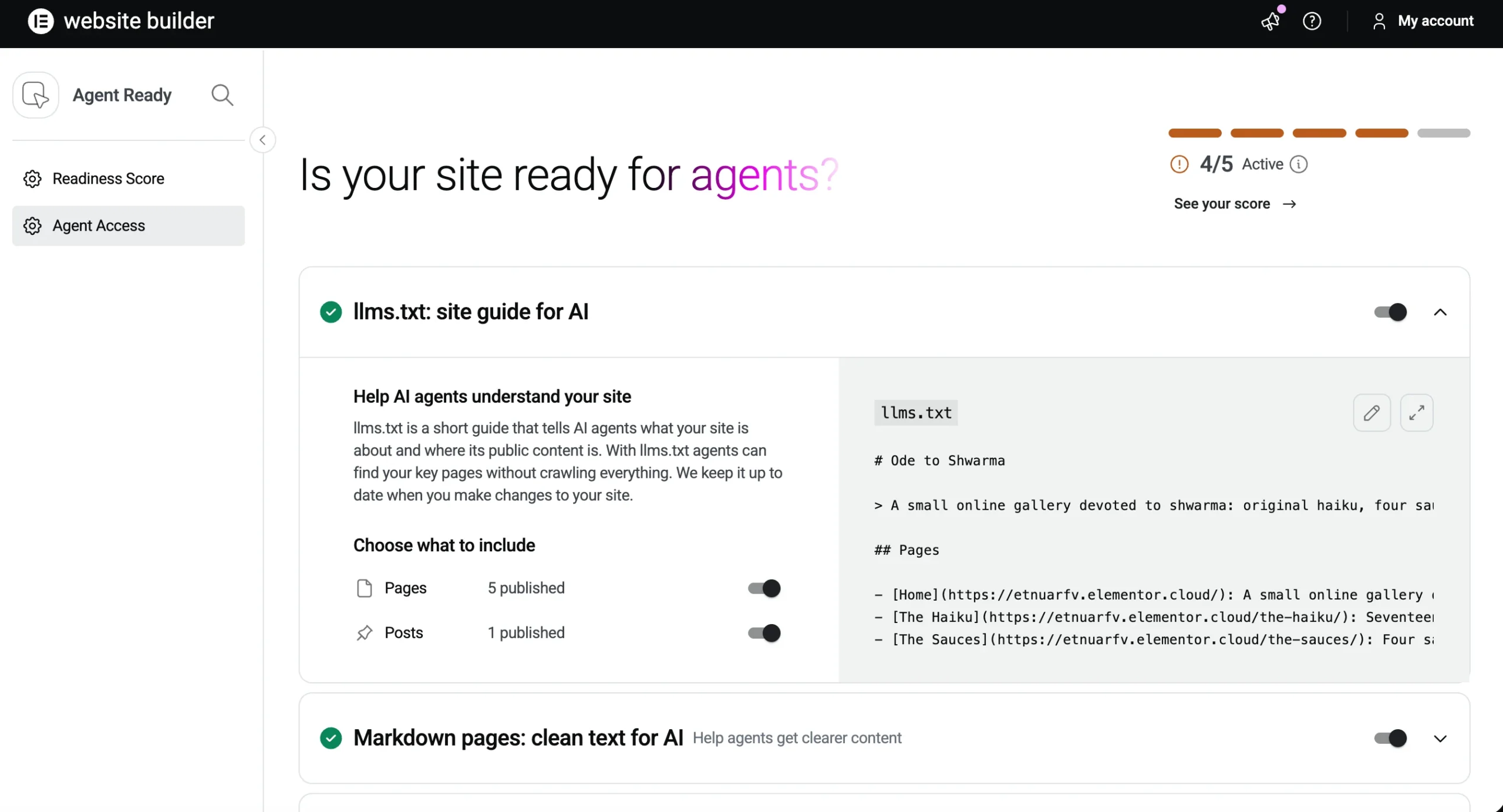
The subsequent stage of the net is making ready our websites for the brokers which are visiting them in order that they get the very best expertise for his or her wants. To get began, you need guests’ brokers to not less than succeed with the “learn” half. The fundamentals from the second post, like clear HTML, structured knowledge, and markdown variations of your pages, assist each agent that visits at the moment. As soon as these are in place, try WebMCP on one form. On an Elementor website, the brand new Agent Prepared menu in Elementor 4.4 covers a lot of this: scan your website to see how agent-ready it’s (you may also scan on our website: elementor.com/agent-ready), after which remediate any points that seem by activating llms.txt, markdown variations of pages, and read-only WebMCP instruments in your WP Admin underneath Elementor > Agent Prepared > Agent Entry.
Most websites will find yourself serving each sorts of agent, and getting your website prepared for each now means it’s prepared for whichever sort reveals up subsequent.